
Brief 71
44 shoot types across fashion, e-commerce, beauty, product, food, brand, spaces and entertainment, plus deliverable and mood.
Pick talent, set, light and lens with a click. Cycolorama writes the prompt and renders it with Gemini or OpenAI.
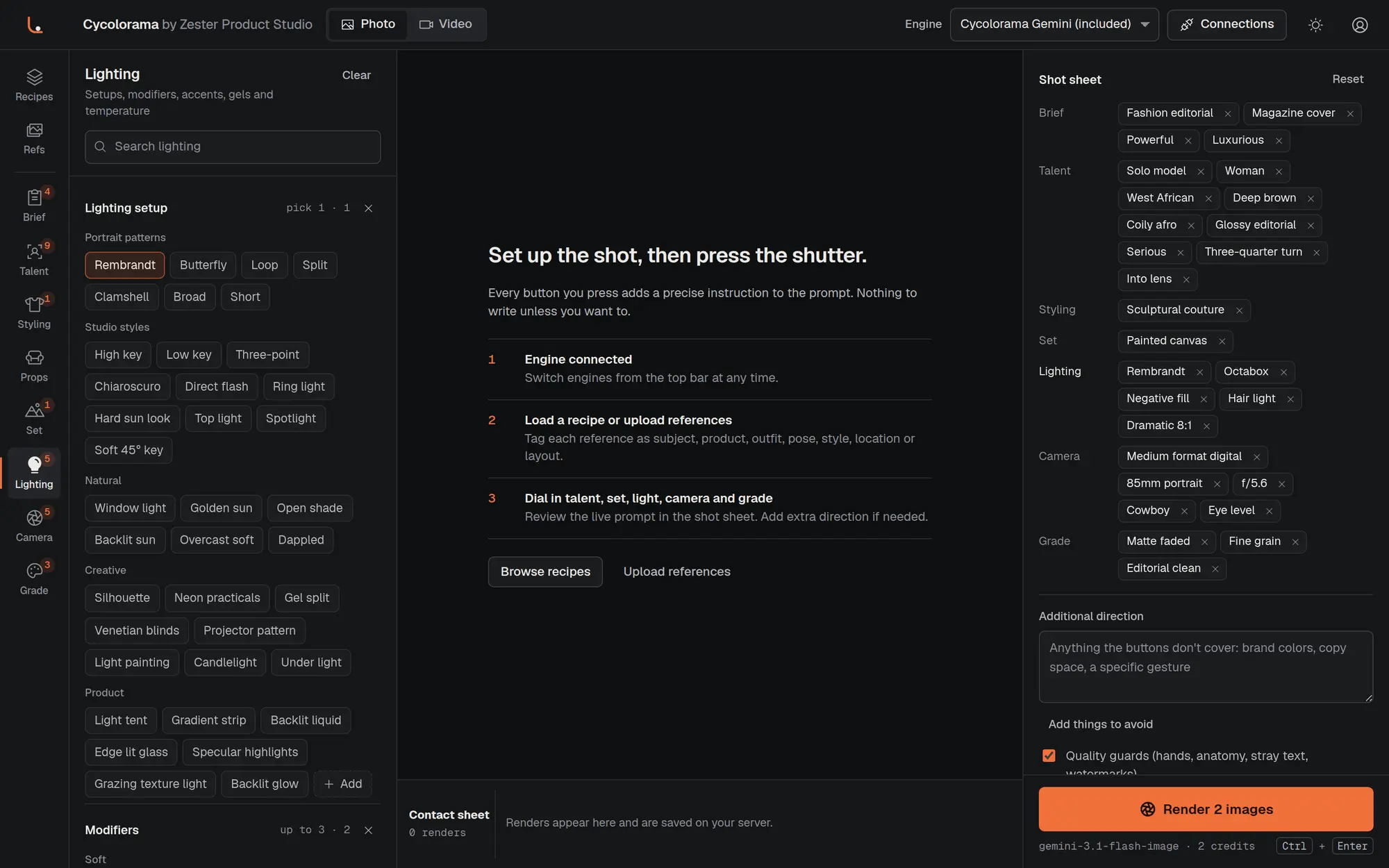
743 studio options
44 shoot types
44 one-click recipes
2 engine families, photo and video
You direct the shoot the way you would on a real set. Cycolorama turns each decision into precise prompt language behind the scenes.
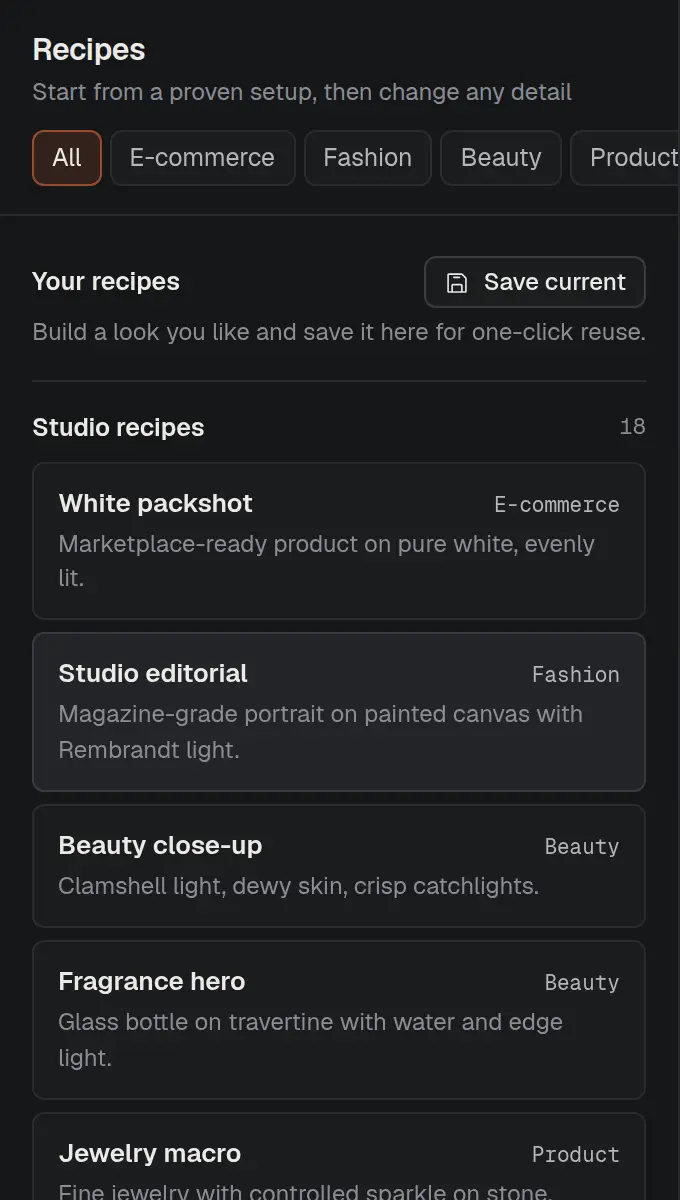
Load one of 44 proven setups, from marketplace packshots and backlit glass to 360 product spins, or start from a blank set.
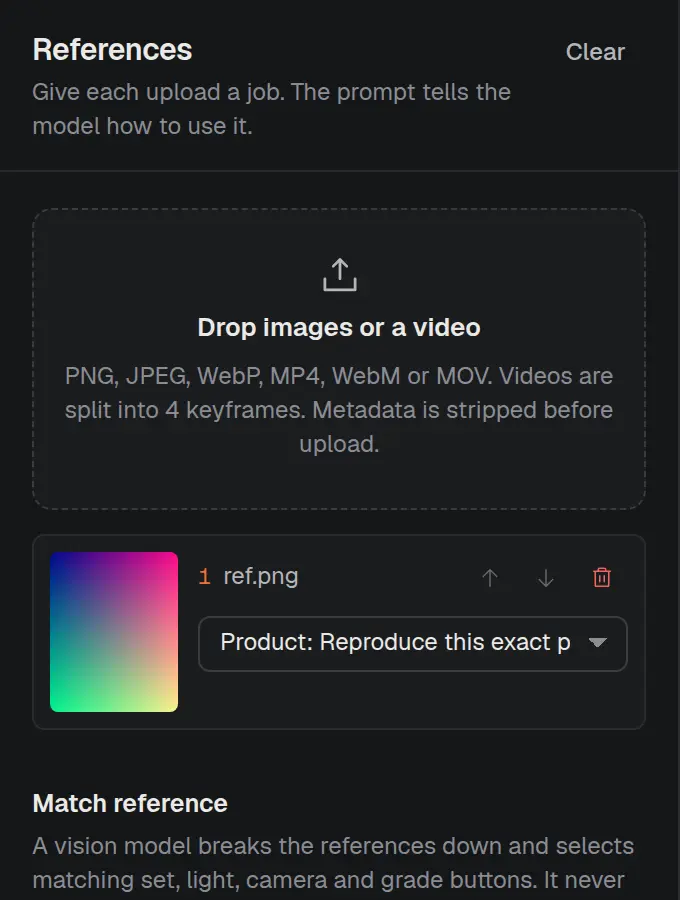
Drop in photos or a video and tag each one as subject, product, outfit, pose, style, location or layout. Or skip references entirely.
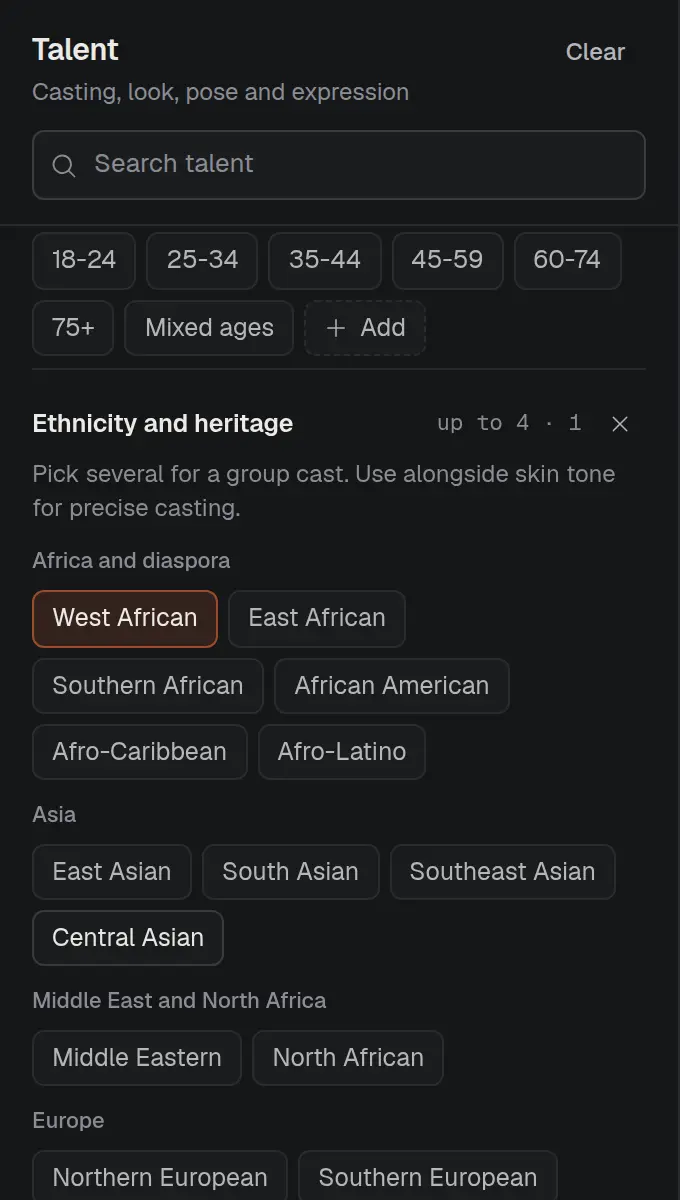
Cast the talent, dress the set, place the lights, choose the lens and set the grade. Every click shows up in the shot sheet.
Review the generated prompt, add extra direction if you like, and render. Results land on your contact sheet, saved on your server.
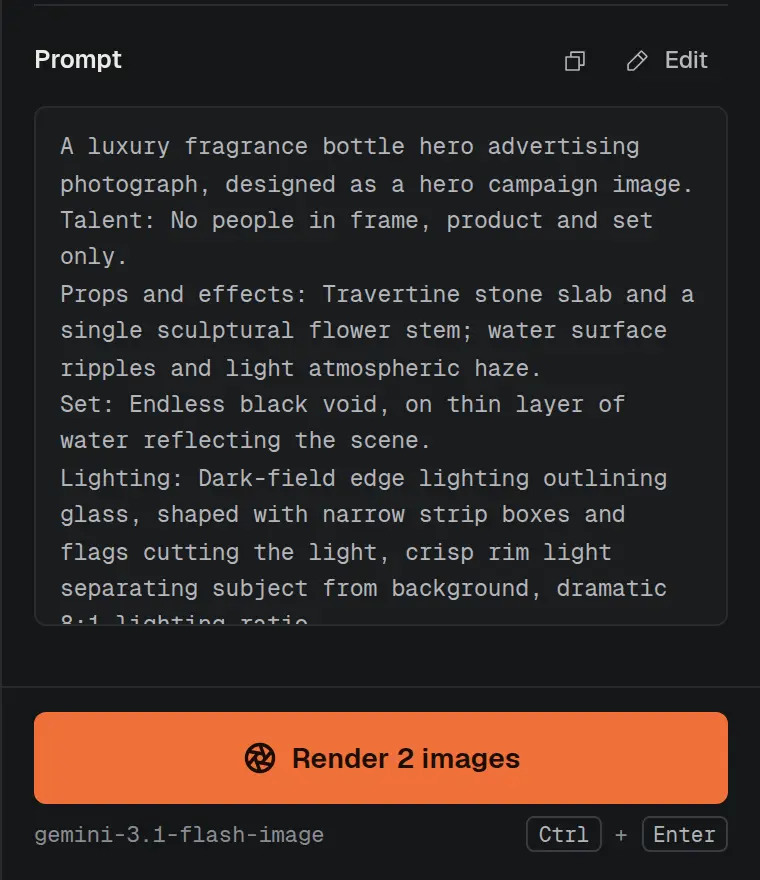
Nine departments, each written in the language photographers and directors actually use, so the model gets instructions it understands.
44 shoot types across fashion, e-commerce, beauty, product, food, brand, spaces and entertainment, plus deliverable and mood.
Cast size, adult age ranges, 22 heritages, 9 skin tones, body types, hair, makeup, 21 poses, expression and gaze.
Tailoring, streetwear, evening, activewear and traditional dress from saree to kente, with fabrics, accessories and color stories.
Furniture, plinths, botanicals, textiles, lifestyle and tech props, plus practical effects like haze, splash, petals and levitation.
Seamless paper in 14 colors, cycoloramas, textured walls, interiors, urban and natural locations, floors, time of day and weather.
Rembrandt, butterfly, clamshell, chiaroscuro and window light, with modifiers, rim and hair lights, gels, Kelvin and ratios.
Digital, cinema and film formats, 14 lenses from fisheye to anamorphic, aperture, framing, angle, composition and technique.
Film stock looks like Portra and CineStill, color grades, grain and halation, and retouching from natural to product perfect.
For video: push-ins, orbits, crane and drone moves, subject action, slow motion and timelapse, sound and pacing.
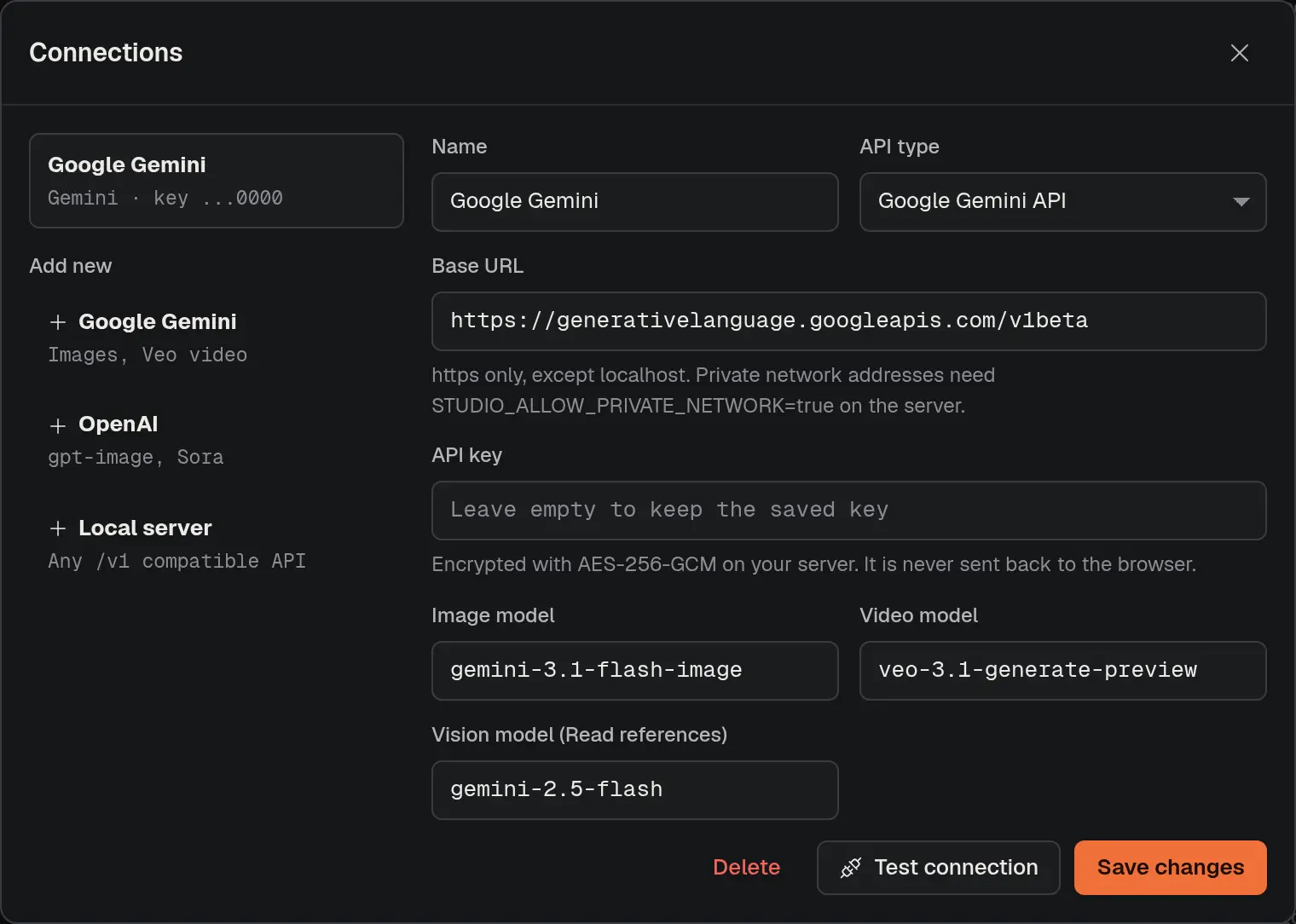
Connect Gemini, OpenAI or any compatible endpoint. Switch engines from the top bar at any time.
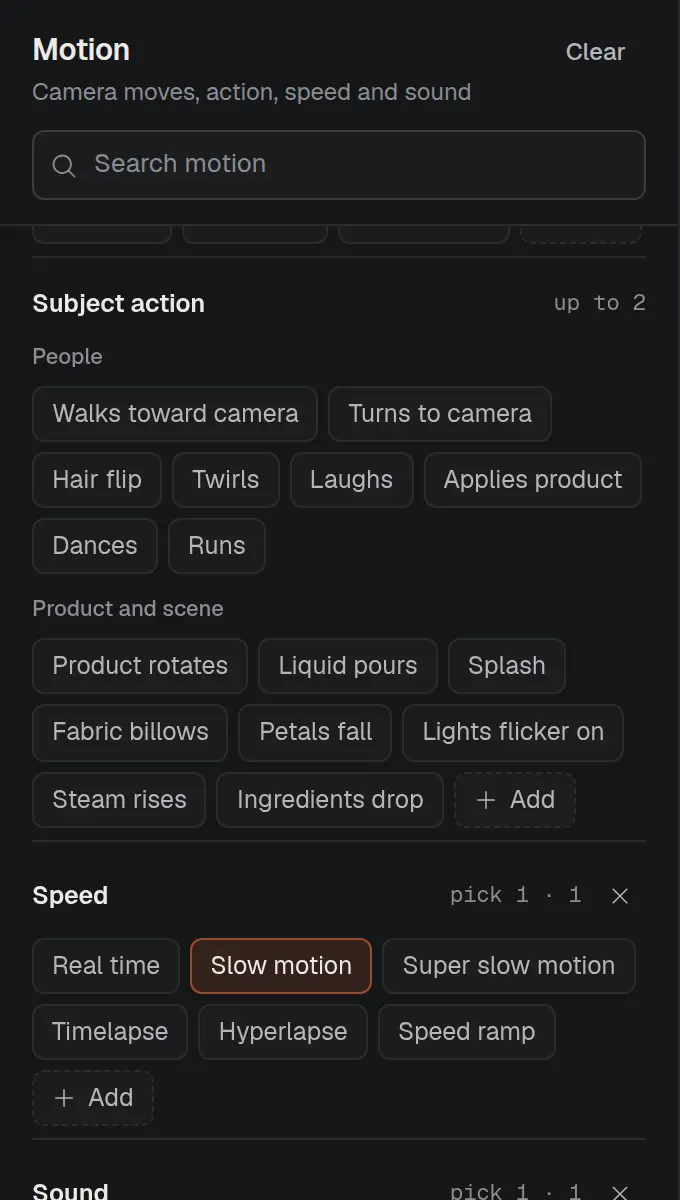
Flip to video and the same shot gains camera moves, action, speed and sound.
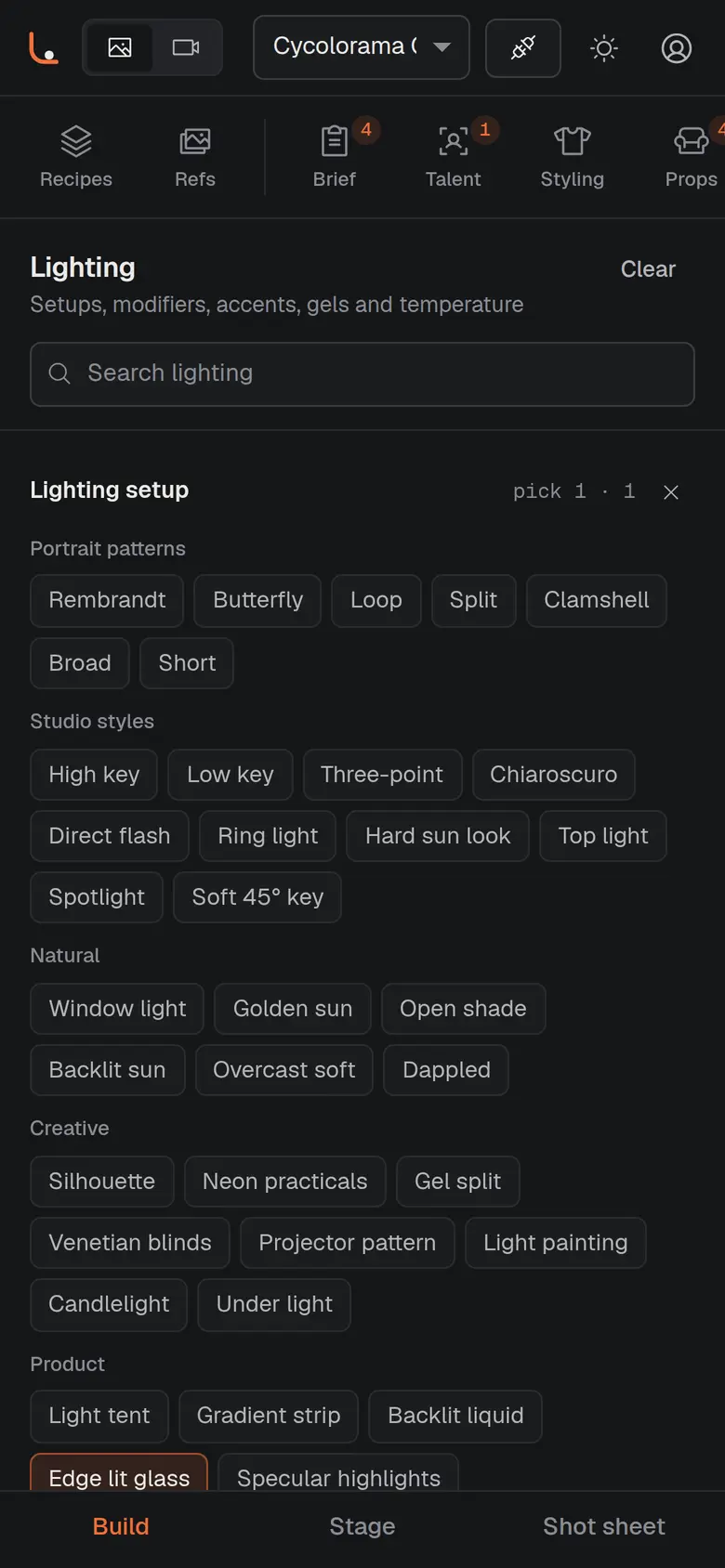
Direct a shoot from a desktop, a tablet on set or your phone.
A vision model studies your reference frames, writes a shot breakdown and presses the matching set, lighting, camera and grade buttons for you. It never guesses identity traits; you choose those.
Add your own buttons to any category and save looks you like as recipes for one-click reuse across a whole campaign.
Google Gemini image models (including Nano Banana and Imagen), Veo for video, and any OpenAI-compatible API, such as gpt-image for images. You can also point it at a local OpenAI-compatible server.
No. Every button adds a precise instruction, and Cycolorama assembles a structured prompt in the background. An optional direction box covers anything the buttons don't, and the full prompt stays visible and editable.
Yes. Upload images or a short video and tag each as subject, product, outfit, pose, style, location or layout. Videos are split into keyframes. Photo metadata is stripped before upload.
On our server, encrypted with AES-256-GCM using a key unique to your account. Keys are only decrypted at the moment a render is sent, and never sent back to the browser.
Cycolorama is free during early access. You connect your own Gemini or OpenAI API key, the provider bills you directly at its own rates for what you render, and Cycolorama adds nothing on top.
It ships with 44 shoot types across fashion, e-commerce, beauty, product, food and drink, corporate and brand, automotive, real estate, hospitality and entertainment, and you can add your own options to any category.
Email partnerships@zesterproductstudio.com or message @cycolorama on Instagram. Tell us what got in the way and which features, recipes or models you want next. Cycolorama is in early access and we read every message.